Claude Code Skills, Quota Maxxing & the Interview-Spec-Review Workflow — Claude Sydney Meetup — March 31, 2026
Claude Code Skills, Quota Maxxing & the Interview-Spec-Review Workflow
TL;DR
- Write a Claude Code skill when you do something more than 3 times and quality matters.
- Use the Interview → Spec → Codex review → Code workflow for big features. Let Claude ask you the questions first.
- Run
/model opusplan— Opus for plan mode, Sonnet for coding. Cheaper and faster. - Plan your day around the 5-hour quota reset, and use handover prompts to switch tools mid-session.
- "Just talk to it." Stop overthinking prompts — describe what you want in plain language.
On March 31, the 02Ship community gathered at Haymarket HQ (Level 2, 63 Dixon St, Haymarket) for our second Claude Sydney meetup. Over 50 builders, students, and AI-curious folks showed up for an evening of lightning talks, demos, and networking — all centered on getting more out of Claude.
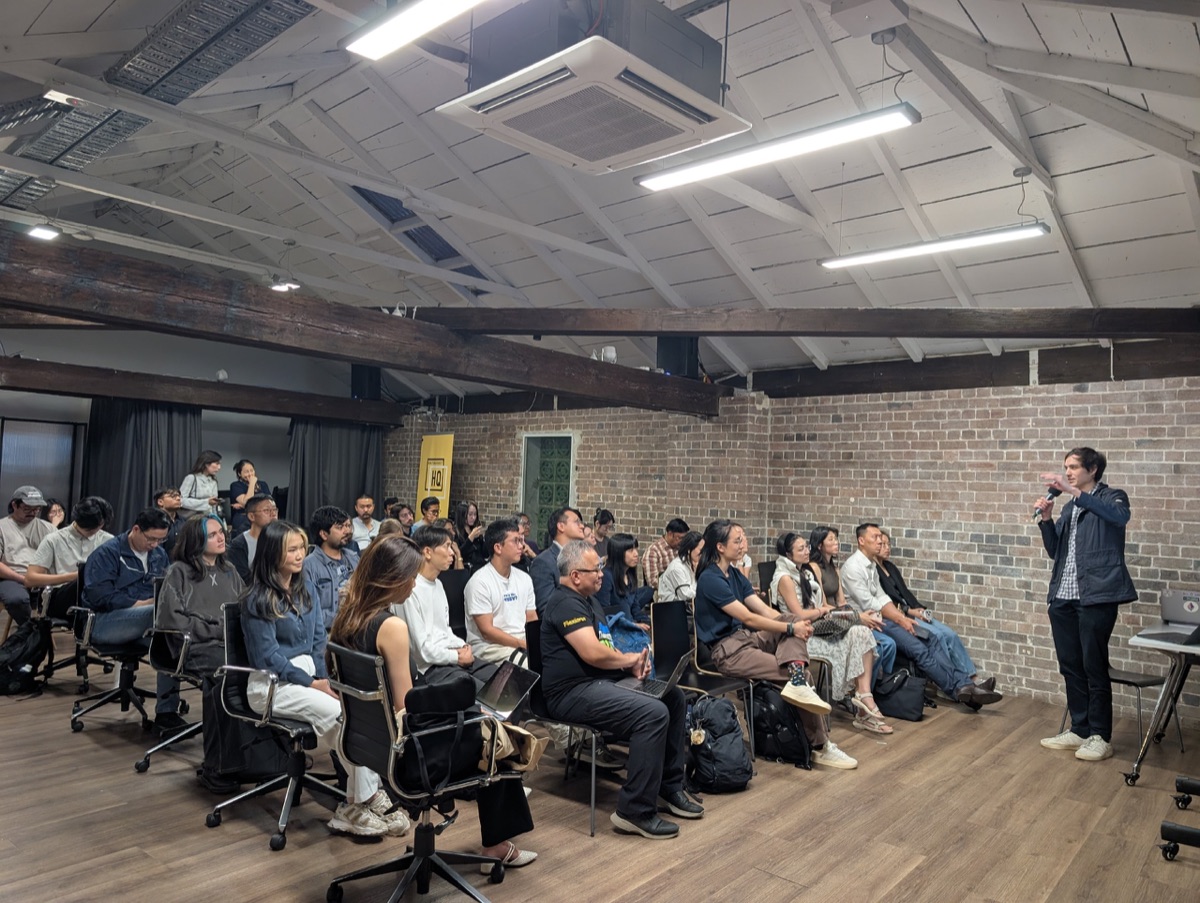
Thanks to Haymarket HQ for hosting and providing the space.
Talk 1: How I Use Claude Code for Non-Coding Work
Bob Jiang (02Ship) kicked things off with a 30-minute talk on treating Claude Code as a capable junior team member — not just for writing code, but for any text-based work.
The core mindset shift: stop thinking of Claude Code as "autocomplete on steroids" and start thinking of it as a junior colleague who can read your project files, follow multi-step instructions, and iterate based on feedback.
Bob walked through three use cases he runs entirely through Claude Code:
- Making slides — The presentation itself was built with Claude Code using a custom
/create-slideskill. One command generates a full HTML slide deck with 02Ship branding, speaker notes, and timing. - Writing blog posts — Claude Code reads existing
.mdxfiles in the project, matches the frontmatter format, and writes new posts that fit the established patterns. - Recording course videos — A full pipeline from script outline to final MP4: HTML slides get screenshotted with Playwright, narration is generated via Google TTS, and ffmpeg composes the final video. The
/generate-courseskill orchestrates the entire flow from a single PDF input.
The key takeaway: Skills — reusable Markdown files that live in .claude/skills/ — are what turn one-off prompts into repeatable workflows. If you do something more than three times and output quality matters, write a skill for it.
Bob's rule of thumb for when to create a skill:
- You do it more than 3 times
- Output quality must be consistent
- It references specific files or templates
- Others on your team will do it too
Talk 2: Claude Tips and Tricks
Joseph Hilsberg — lecturer at UNSW (Cryptocurrencies & Decentralized Finance), research assistant in digital identity, and self-described "AI Enjoyooor" — shared a rapid-fire set of practical tips organized around four themes.
Skills and Prompts
Joseph highlighted the growing skills ecosystem — reusable capabilities you can install into any Claude Code project with a single command (npx skills add <REPO_URL> --skill <SKILL_NAME>). Resources like skills.sh and ethskills.com are curating community-built skills.
For one-shotting big features or new projects, Joseph shared his workflow:
- [Claude] Interview — let Claude ask you questions to clarify requirements
- [Claude] Spec — Claude writes the specification
- [Codex] Review — get a second opinion from another model
- Code — then build
The key insight: instead of prompting Claude, let Claude prompt you. His go-to review prompt: "Review and grill me with any questions or uncertainties while we formulate a final version of the implementation plan."
Workflows
Joseph covered three workflow categories:
- Software dev — the interview-spec-review-code pipeline described above
- Research — Claude excels at synthesizing research. Feed it sources, have it extract claims and citations, attack hidden assumptions, then synthesize across sources. The goal: conclusions are earned, not guessed. He also recommended Auto-Claude-Code-Research-in-Sleep for overnight research sessions.
- Agents — AI agents that don't just chat but act. Popular frameworks include Claude Code, OpenClaw, and Hermes. Orchestrators like Paperclip AI and Factory AI are pushing toward autonomous software development.
Tools — The Current Setup
Joseph shared his multi-model toolkit (as of March 31):
| Tool | Cost | Best For |
|---|---|---|
| Gemini AI Pro | $32.99/mo | Multimodal (images, audio), 3D modelling via OpenSCAD |
| Claude Pro | $29/mo | Green-field spec building, plan mode, skills + tool calling |
| ChatGPT Plus | $30/mo | Good memory, economical with GPT 5.4 tiers, feature-by-feature building |
| MiniMax Std | $10/mo | 1,500 requests/5hrs, economical agent model |
| Grok | Free | X/Twitter search and trend analysis |
| Perplexity | API-based | Online research |
| Qwen3.5-27b | Free (local) | Decent reasoning on 16-24GB M-series Macs |
His take on Claude specifically: "The ultimate generalist. Best at tool calling and agentic skills." He noted the Claude Max tiers ($169/mo, $340/mo) for heavy users who need sustained Opus access.
Quota Maxxing Tips
The crowd favorite section — four tips for getting the most out of your Claude Pro subscription:
- Plan around 5-hour resets — Structure your day so deep Claude sessions align with quota resets. Joseph's move: message Claude "hi" 3-4 hours before a planned lock-in session to trigger the reset timer.
- Opus for Plan, Sonnet for dev — Use
/model opusplanto automatically switch to Opus 4.6 in plan mode and Sonnet 4.6 for coding. Opus is deeper but slower; Sonnet is 2x faster and cheaper. - Handovers for extended sessions — When quota is running low mid-session, ask Claude to "Produce me a handover I can provide Codex with to re-commence work whilst your quota resets." Switch tools without losing context.
- Token maxx — When your session quota is about to reset, burn the remaining tokens on automated workflows rather than letting them expire.
Top Tip
Joseph's number one piece of advice: "Just talk to it." Referencing Peter Steinberger's post "Just Talk To It — the no-bs Way of Agentic Engineering", the message is simple: stop overthinking prompts. Just describe what you want in plain language.
His closing slide — a collage of projects he's built with AI tools — drove the point home: "You can just do things."
Community Shout-Outs
During the open mic:
- Dave Katague shared his personal AI toolkit and how he uses different models across his workflow. Dave also wrote up a detailed summary of the entire meetup — check it out on his Notion page.
- Burin took the mic to share with the group as well.
Open Mic and Networking
After the talks, attendees shared their own Claude workflows and projects during the open mic session, followed by an hour of networking. The range of backgrounds — from crypto researchers to first-time builders — made for great cross-pollination of ideas.
Join the Next Meetup
We're back on Tuesday, April 21 at Haymarket HQ (same venue, 6:00 - 8:30 PM). This time the format is lightning talks — quick, engaging presentations covering AI SDK, building intelligent applications, and real-world AI engineering.
We're looking for speakers and sponsors — if you've got something to share, apply via the registration page.
It's free. Spots are limited.
Register for the April 21 meetup on Luma
See you there.